Posted on

How to Mount a 65 in TV on Off-Center Wall Studs Without Crooked Alignment

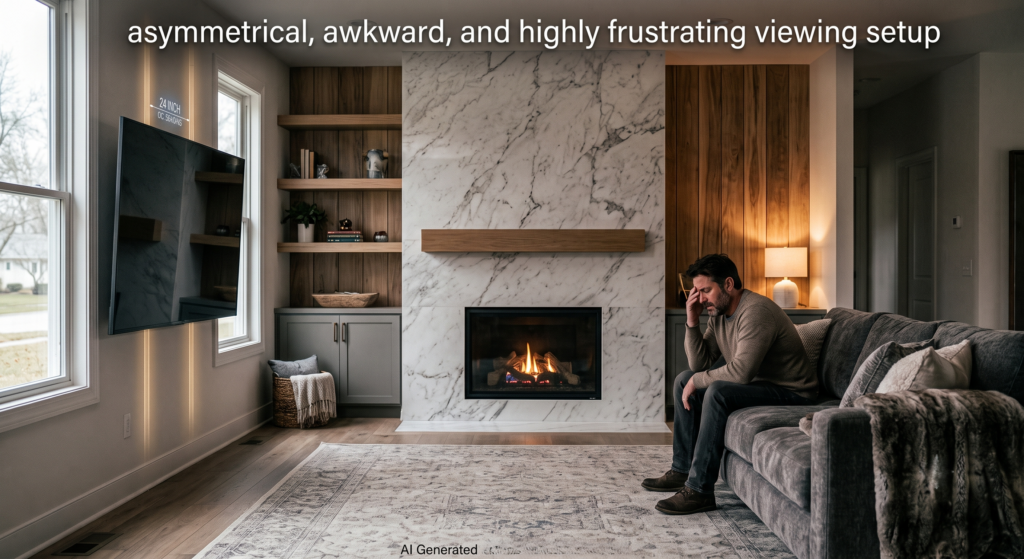
Wooden studs inside American walls are rarely placed exactly where homeowners want their TV to go—such as the precise center of a living room wall, aligned with a sofa, or centered above a fireplace. Standard fixed mounts force the TV to sit exactly where the studs dictate. This results in an asymmetrical, awkward, and highly frustrating viewing setup that ruins the room’s interior design and aesthetics.

AEON TV Wall Mounts Solution

AEON’s unique 14-inch lateral shift sliding arm allows users to smoothly slide the television left or right along the wall bracket after installation. It provides perfect “room correction” to center the TV flawlessly without drilling new holes

Posted on

FAQ


AEON TV Wall Mounts – Frequently Asked Questions

My TV is very large and heavy. What is the maximum weight capacity of AEON TV mounts?

Our heavy-duty mounts are engineered for absolute security. Our top-tier models can safely support large screens up to 135 lbs (approx. 61 kg), providing professional-grade stability whether mounted on wood studs or concrete.

Can I install an AEON mount on a concrete wall?

Absolutely. Our TV mounts are not only suitable for standard wood studs but also fully support concrete wall installations. Professional-grade mounting hardware is included to provide a rock-solid foundation.

The wood studs in my wall are spaced wider. Do your mounts support 24-inch on-center wood stud installation?

Yes! We understand that every room’s structure is different. We offer specific product lines designed to safely span 24-inch wood studs. Please check the specific specifications of the model when purchasing.

What is a “Recessed In-Wall” mount, and what are its advantages?

Recessed in-wall mounts (like our 50101 and 50201 series) are installed directly inside the wall between two studs. The biggest advantage is achieving a true zero-gap flush fit. When retracted, the TV sits completely flush against the wall. Paired with our hidden cable management, it creates an ultra-clean, wire-free modern aesthetic.

I want to mount my TV in the corner of the room. What do you recommend?

For corner installations, we highly recommend our Full Motion Extension Mounts with long arms. We offer models with a massive 32-inch extension, allowing you to effortlessly pull the TV out from the wall and tuck it perfectly into a corner while achieving the optimal viewing angle.

Are the “Open Box” or “Refurbished” products sold on the website guaranteed for quality?

Absolutely guaranteed. Our commitment is to make premium home theater setups accessible to everyone. All Open Box and Refurbished mounts undergo strict inspection and testing to ensure their weight capacity, safety, and flexibility match brand-new products perfectly. They are highly cost-effective options.

Is the installation process complicated? Do you provide installation guides?

We strive to make installation as simple as possible. After purchasing, you can find detailed, expert-level installation guides directly on our website. These include “How to Hide TV Cables,” “How to Install on a Concrete Wall,” and step-by-step tutorials for specific models to help you easily complete the setup.

Posted on

How to Hide TV Cables: A Professional Guide for Homeowners

Achieve a Clean, Cable-Free TV Setup

Tired of a tangle of wires ruining your clean living room aesthetic? Whether you are in Florida or California, achieving a sleek, minimalist home theater setup is easier than you think. At AEON TV Wall Mounts, we specialize in professional-grade mounting solutions that prioritize both function and style.

Here is our expert guide on how to manage your cables, regardless of your wall type.

How to Hide TV Cables Without Cutting Wall

For renters or homeowners who prefer a non-invasive approach, you don’t need to cut into your drywall to hide your wires.

  • Use Paintable Cord Covers: Adhesive-backed cable raceways are the most popular “hide-in-plain-sight” solution. Once installed, you can paint them to match your wall color, effectively making them invisible.
  • Leverage Integrated Mounts: The easiest way to manage cables is to prevent them from dangling in the first place. Our Full-Motion TV Mounts are engineered with built-in cable management channels, allowing you to route cords directly through the arm of the mount for a clean, professional finish.

Best Ways to Hide TV Wires on Brick or Concrete

Solid surfaces like brick or concrete present unique challenges because you cannot fish wires through them.

  • Surface-Mounted Solutions: If you are mounting to a concrete or brick wall, use decorative, surface-mounted cable raceways.
  • Complete the Look: Pair these covers with our Low Profile Fixed TV Mounts. These models are designed to keep the TV profile low to the wall, minimizing the visible gap where wires connect, which is essential for maintaining that Scandi-style minimalist aesthetic you love.

How to Hide TV Cords on Entertainment Center

If your setup involves an entertainment center, the goal is to group cables together to eliminate visual clutter.

  • Utilize Cable Management Boxes: These boxes hide power strips and excess cable lengths, keeping your floors or console tops tidy.
  • Strategic Bundling: Use Velcro ties to bundle your HDMI and power cables together, then secure them to the back leg of your furniture.
  • Choose Equipment with Cable Control: When shopping for a new setup, prioritize hardware that helps you stay organized. Explore our full range of Premium TV Mounts, which are designed to support a clutter-free environment.

Local Service & Expert Support

At AEON TV Wall Mounts, we are proud to serve our clients nation wide. Whether you are looking for specific audio-visual mounting hardware or need advice on the best setup for your home, our team is here to help.

Ready to upgrade your home theater? Visit our online store or contact us today to learn more about our latest product releases.

Posted on

How do I install this mount on a concrete wall?

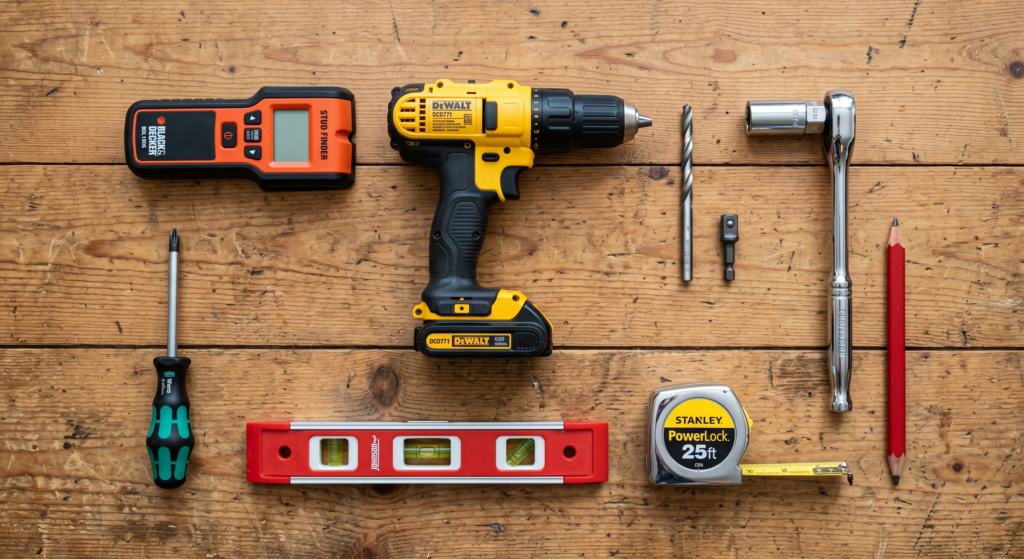
To install the AEON-45200 mount on a concrete or masonry wall, you will need a few specific tools, including a hammer drill, a 1/2-inch masonry drill bit, a 1/2-inch socket wrench (or bit driver), a level, and a pencil.

Here are the step-by-step instructions for a concrete installation:

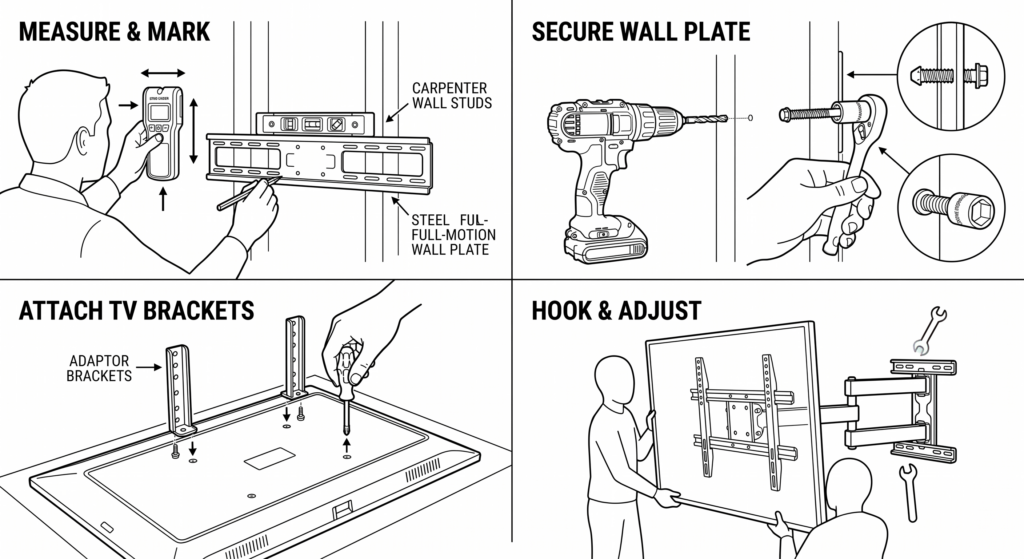
  • Position and Mark: Place the wall plate against the wall at your desired location. Use a level to ensure the wall plate is perfectly horizontal, and then mark the four mounting hole locations,. You can also use the guide’s adhesive backing to hold it in place while you level and mark it.
  • Drill the Holes: Using your hammer drill and the 1/2-inch (13 mm) masonry drill bit, drill the four mounting holes into the concrete surface. Make sure each hole is drilled exactly 3 1/8 inches (80 mm) deep.
  • Insert Anchors: Insert the provided wall anchors into each of the four drilled holes,.
  • Attach the Wall Plate: Align the wall plate with the wall anchors and insert the 8x70mm lag bolts,,.
  • Tighten Securely: Tighten the lag bolts so the wall plate is firmly attached, but do not over-tighten, as this can damage the bolts and strip their threading. It is highly recommended to do the final tightening by hand using a ratchet wrench and socket.

Once the wall plate is securely fastened to the concrete, you can move on to assembling the adaptor plate, attaching the brackets to the back of your TV, and carefully hanging the display onto the mount arm assembly,,.

Posted on

Can I mount this on 24-inch on-center wood studs?

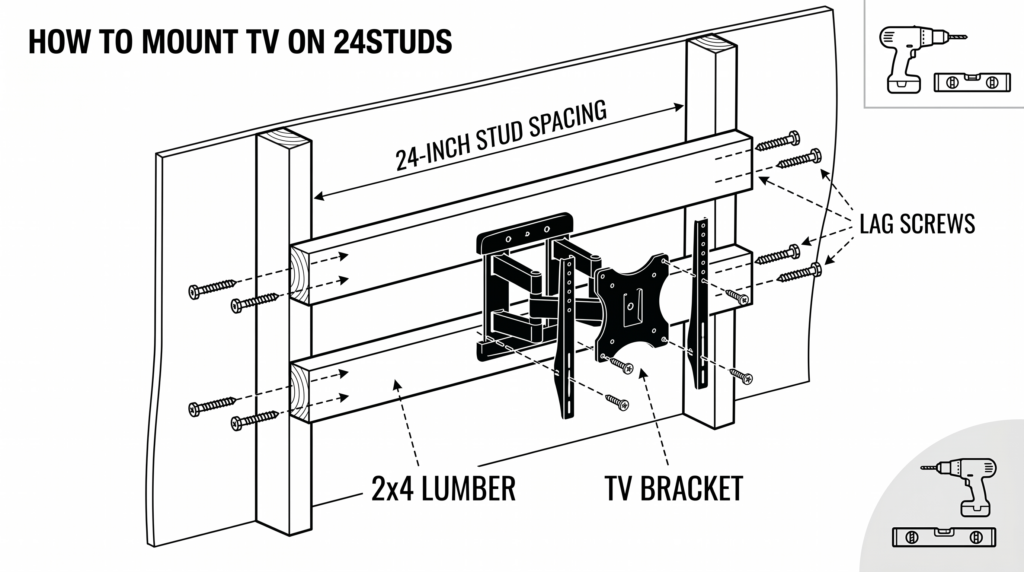
The AEON-45200 model is specifically designed for 16-inch on-center wood studs and cannot be mounted directly to 24-inch studs.

If your walls have 24-inch on-center studs, you have two main options based on the sources:

  • Purchase the AEON-45250 Model: The manufacturer offers an alternative version of this mount, the AEON-45250, which features a wider 26-inch backplate specifically designed to safely span 24-inch on-center wood studs.
  • Use a DIY Wood Backing: If you already have the 16-inch AEON-45200 mount, you can bridge the 24-inch gap between your studs using sturdy wood. You can cut a thick piece of plywood or lumber (such as 2x4s or a 2×10) to span the distance, secure the wood into your 24-inch studs using lag screws, and then securely mount the AEON-45200 bracket directly onto the wood backing.
Posted on

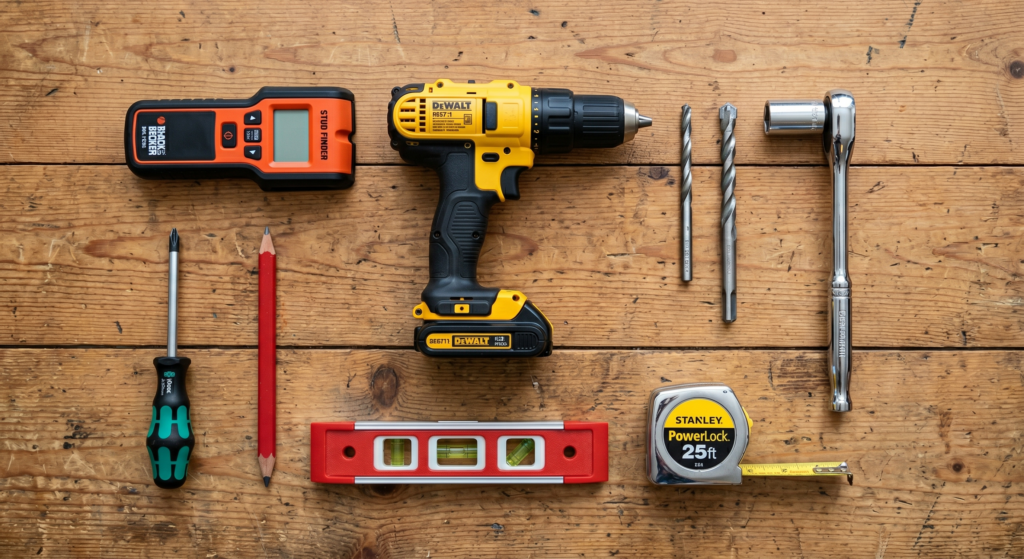
What tools are required for a wood stud installation?

For a wood stud installation of the TV mount, you will need the following tools:

  • Stud finder: An “edge-to-edge” stud finder is recommended to accurately locate the center of the wooden studs.
  • Standard drill: A regular drill is sufficient, whereas a hammer drill is only needed for concrete installations.
  • 1/4″ drill bit: This specific size is required for drilling pilot holes into wood studs.
  • 1/2″ socket wrench or bit driver: Required for tightening the wood screws/lag bolts.
  • Phillips screwdriver.
  • Level.
  • Tape measure.
  • Pencil.