
Step 1: Map Your “Dead Zone”
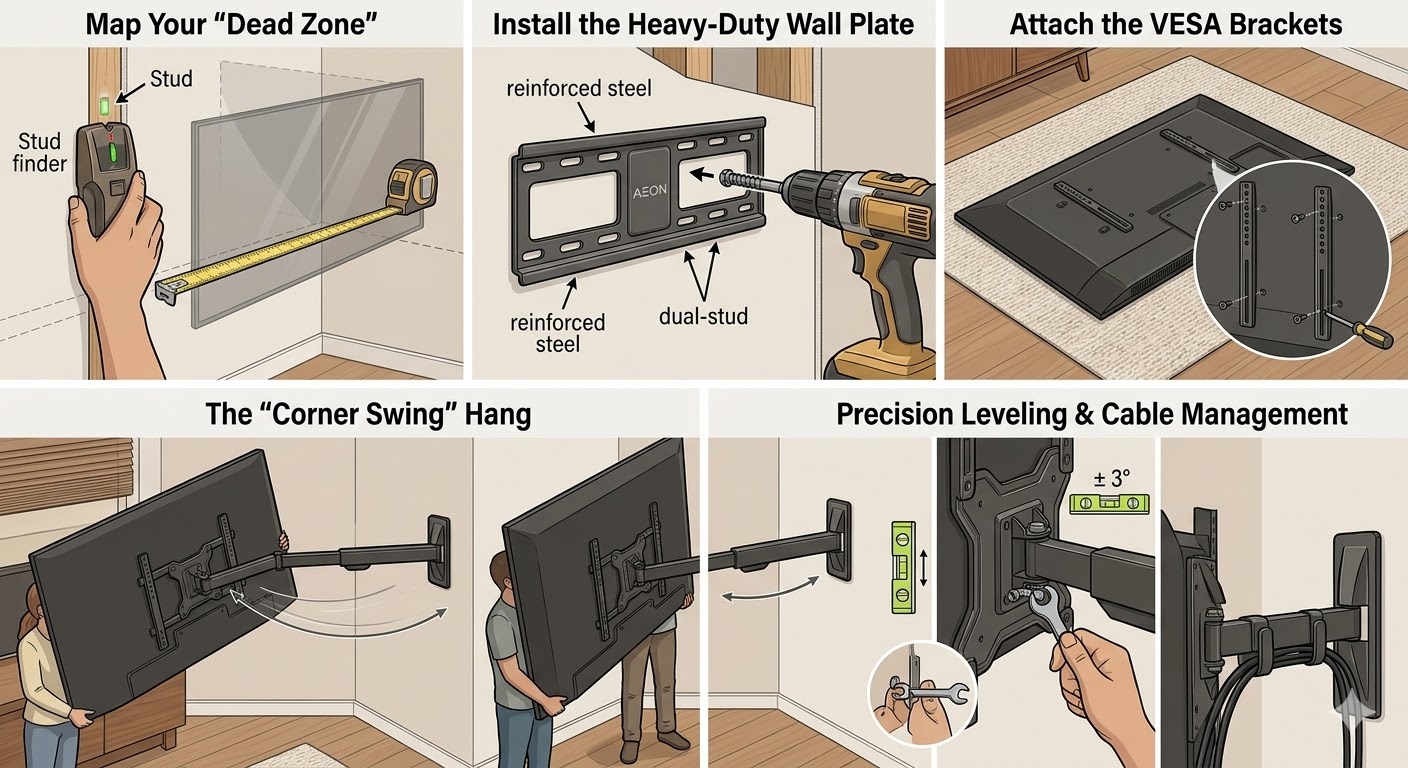
Standard mounts fail in corners because they lack the reach. To find your ideal mounting spot:
- Measure your TV’s total width.
- Because the AEON extends 32 inches, you can mount the wall plate on either of the two walls meeting at the corner (whichever has the sturdiest studs).
- Pro Tip: Use a stud finder to locate two wood studs. The AEON’s wide wall plate is designed for dual-stud installation, providing the heavy-duty foundation needed for long-extension safety.|
Step 2: Install the Heavy-Duty Wall Plate
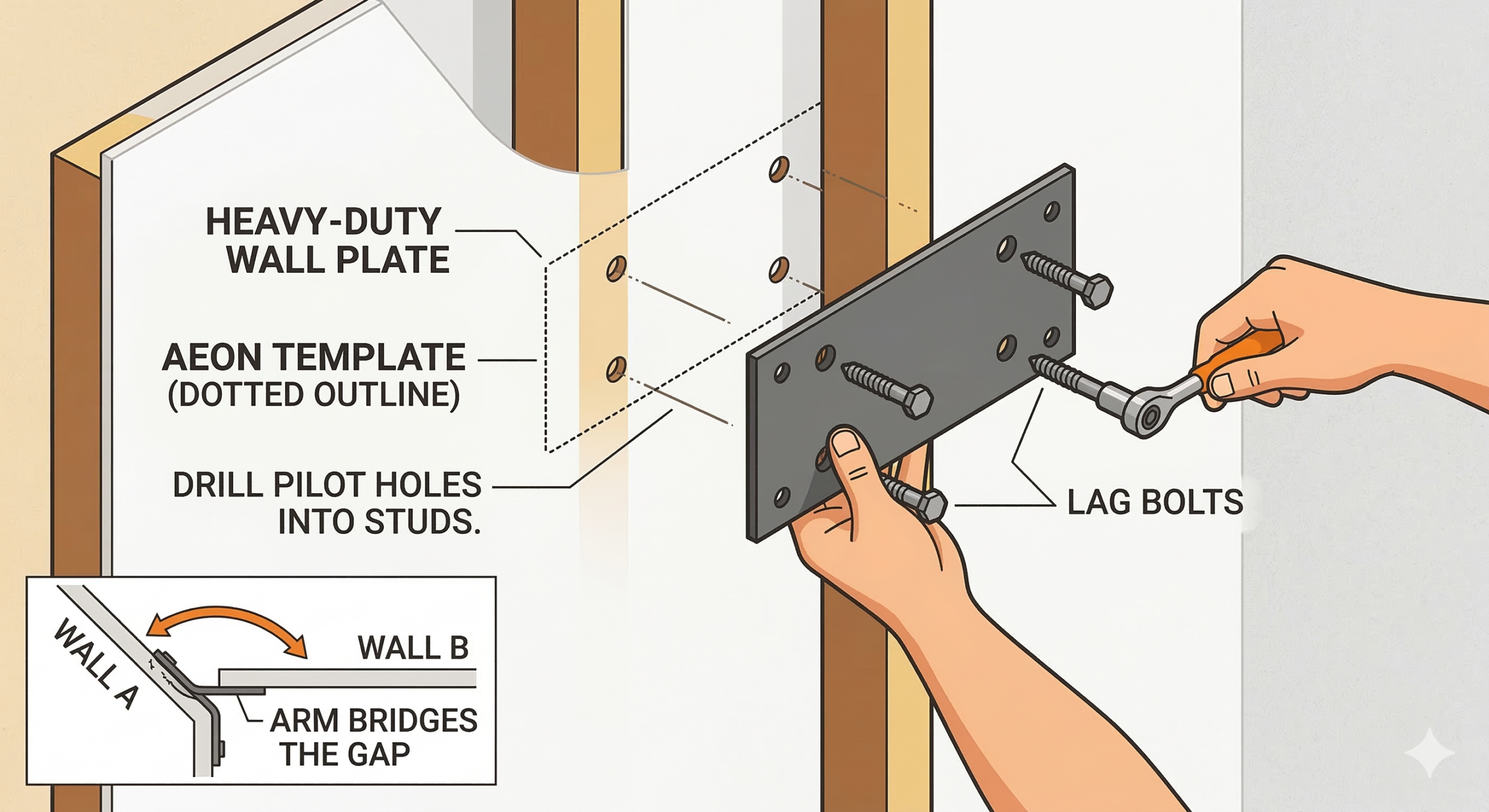
- Position the AEON template on your chosen wall near the corner.
- Drill your pilot holes into the center of the studs.
- Bolt the reinforced steel wall plate using the included lag bolts.
- Note: Because the arm is so long, you don’t need to mount exactly in the vertex of the corner; the arm will bridge the gap.
Step 3: Attach the VESA Brackets
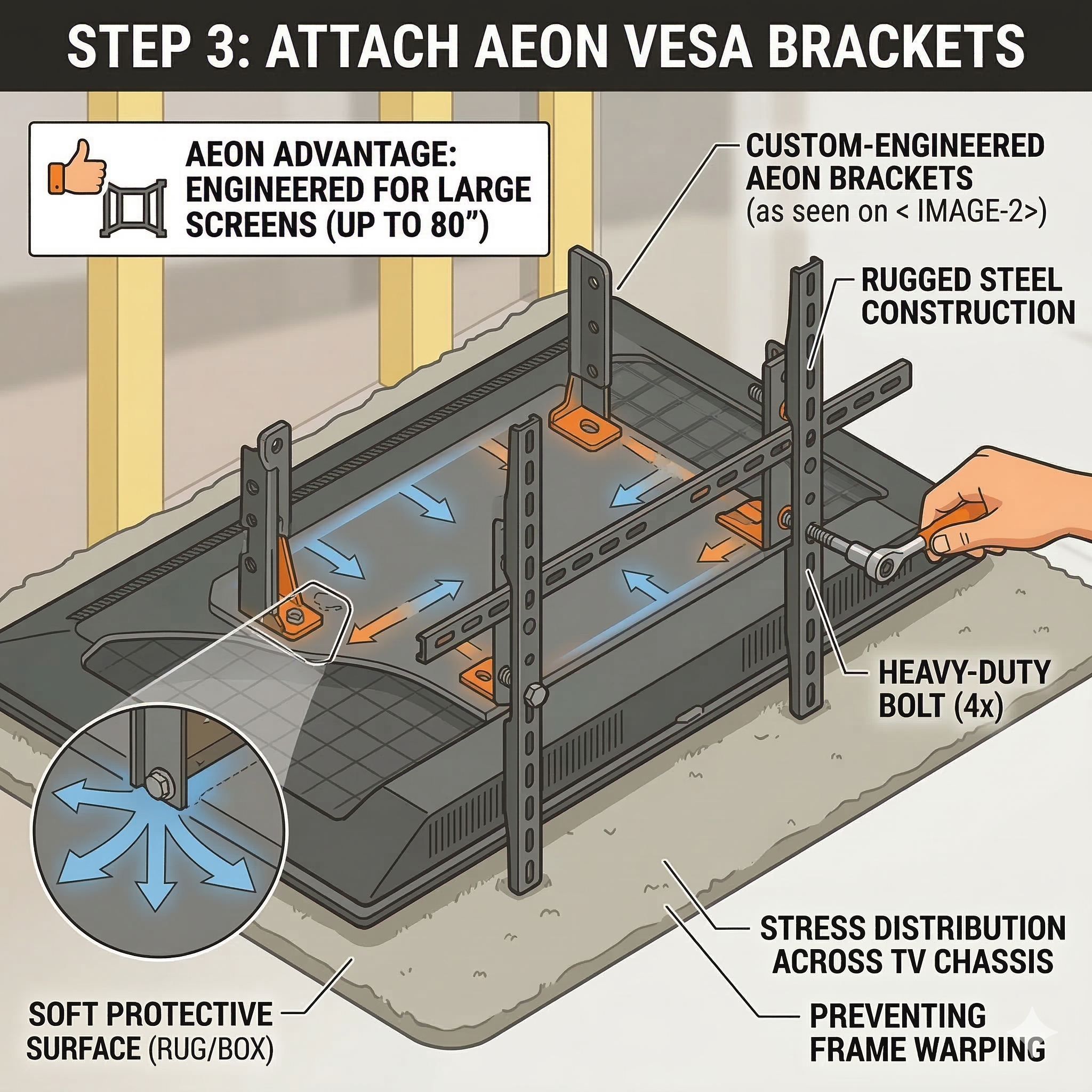
- Lay your TV face down on a soft surface (like a rug or the box it came in).
- Attach the AEON brackets to the back of your TV.
- AEON Advantage: These brackets are designed for large-format screens (up to 80 inches), ensuring the weight is distributed across the TV’s chassis to prevent frame warping.
Step 4: The “Corner Swing” Hang
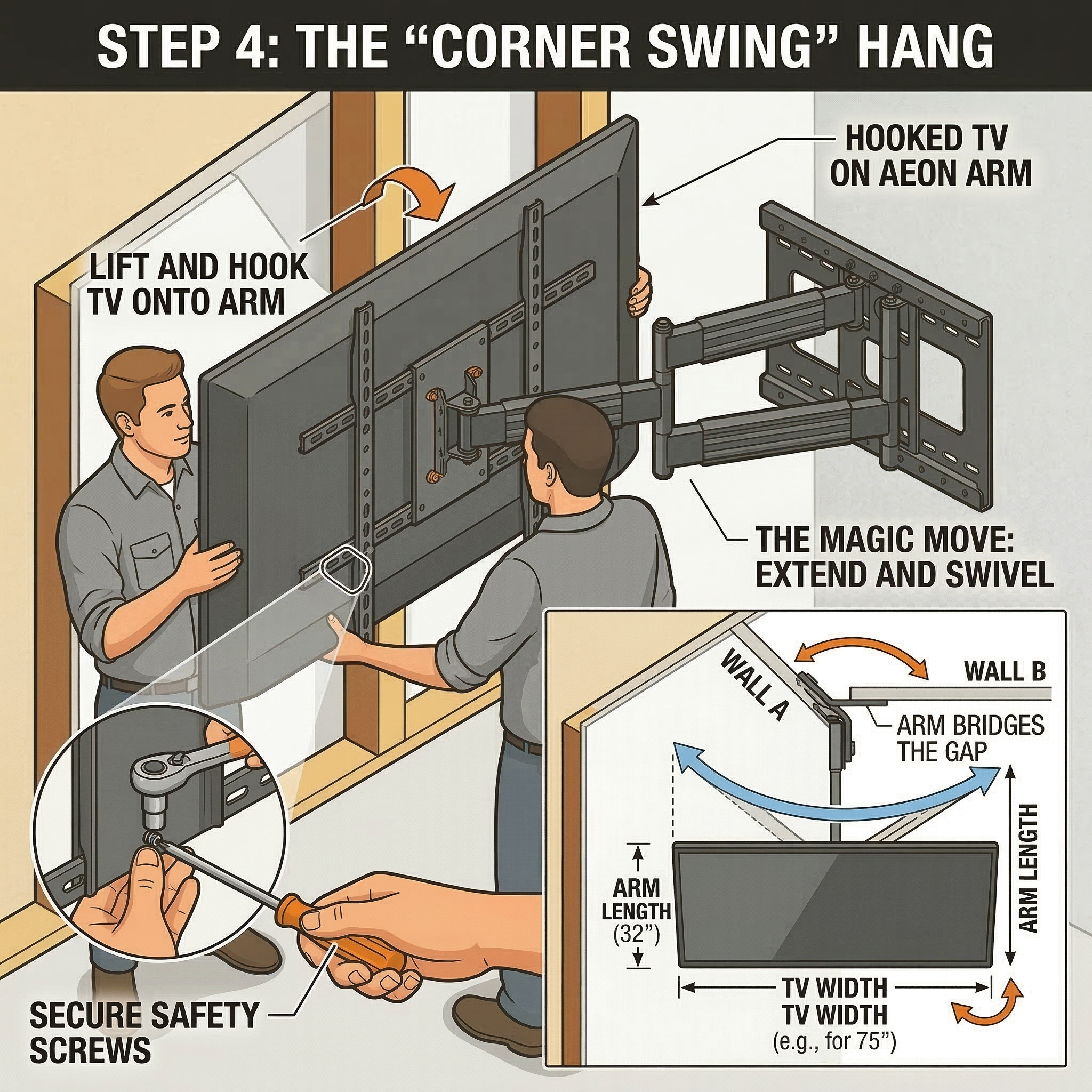
- With a partner, lift the TV and hook it onto the AEON arm.
- Secure the safety screws to lock the TV onto the mount.
- The Magic Move: Extend the 32-inch arm outward. Since the arm is longer than half the width of most 75-inch TVs, you can now swivel the screen a full 45–90 degrees directly into the center of the corner.
Step 5: Precision Leveling & Cable Management
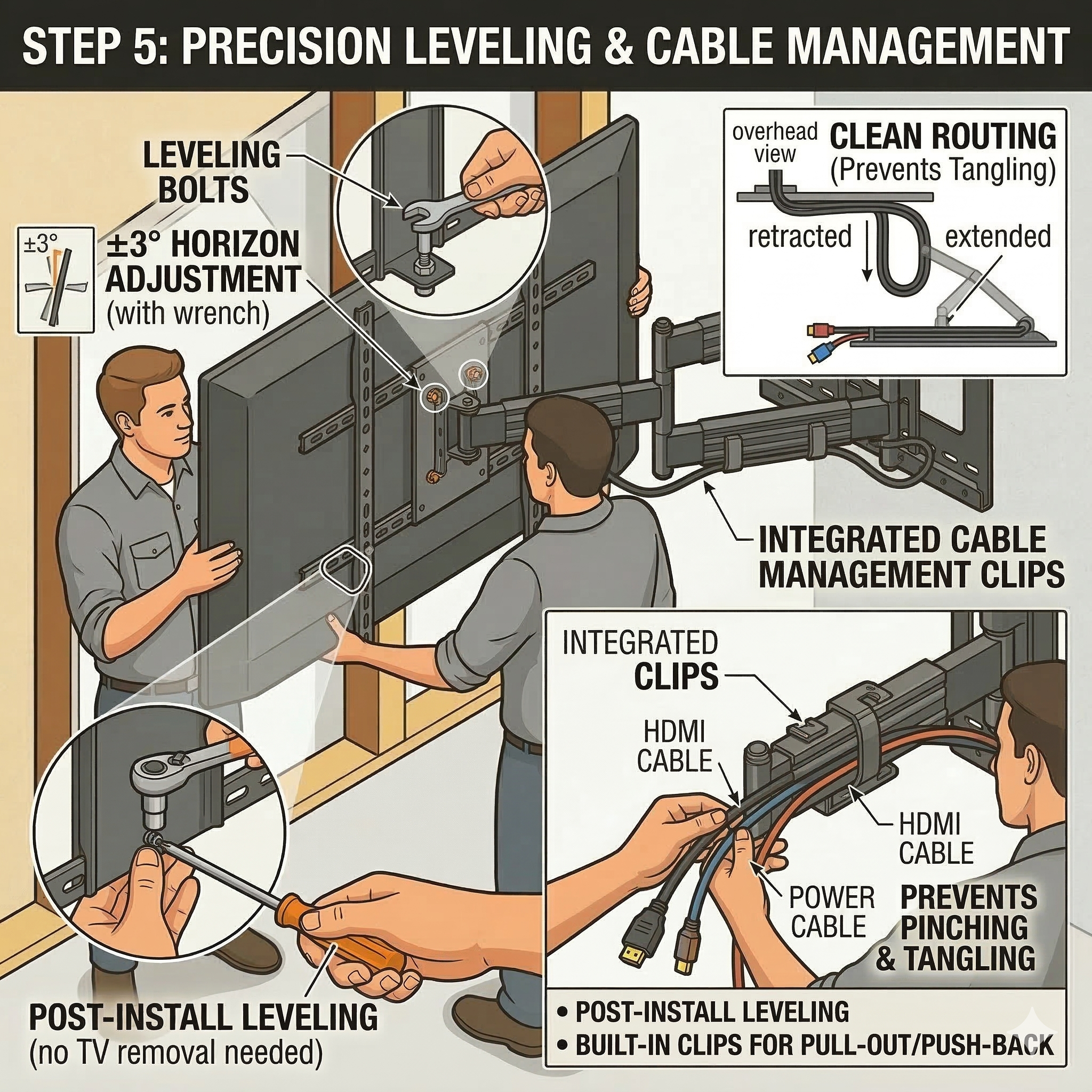
- Post-Install Leveling: If the TV looks slightly tilted after hanging, use AEON’s leveling bolts to adjust the horizon by $\pm 3^\circ$ without taking the TV down.
- Cable Routing: Thread your HDMI and power cables through the built-in cable management clips. This prevents wires from pinching or tangling when you pull the TV out or push it back.