
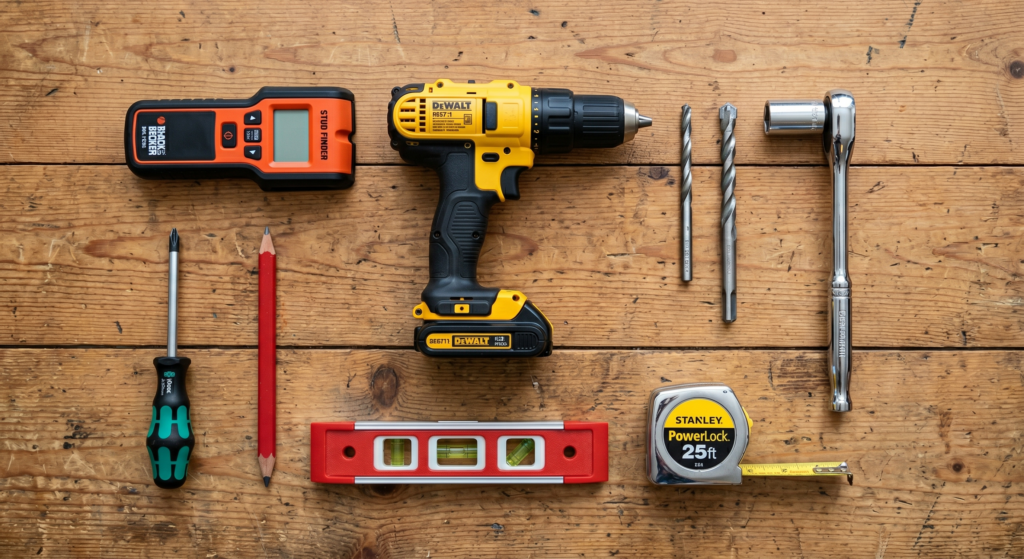
To install the AEON-45200 mount on a concrete or masonry wall, you will need a few specific tools, including a hammer drill, a 1/2-inch masonry drill bit, a 1/2-inch socket wrench (or bit driver), a level, and a pencil.
Here are the step-by-step instructions for a concrete installation:
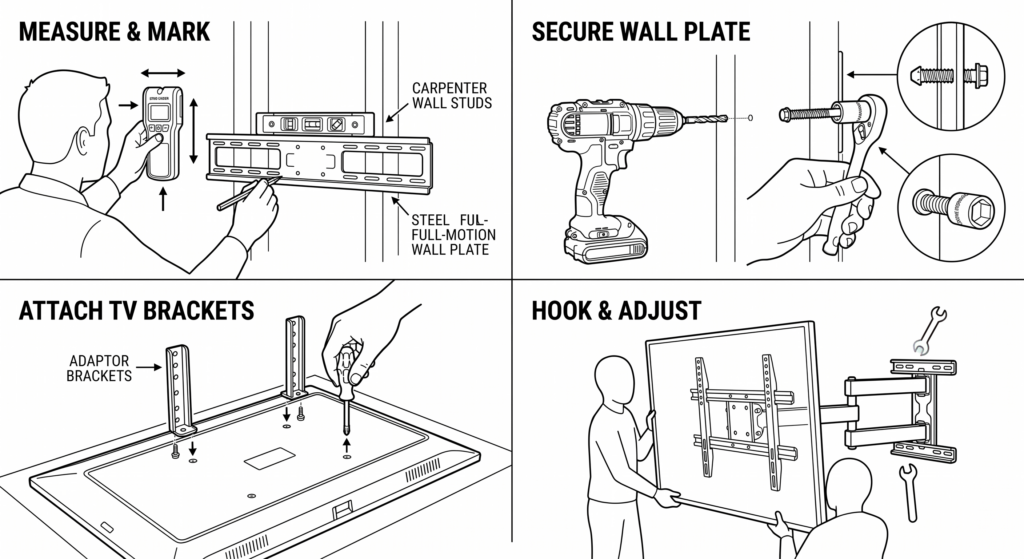
- Position and Mark: Place the wall plate against the wall at your desired location. Use a level to ensure the wall plate is perfectly horizontal, and then mark the four mounting hole locations,. You can also use the guide’s adhesive backing to hold it in place while you level and mark it.
- Drill the Holes: Using your hammer drill and the 1/2-inch (13 mm) masonry drill bit, drill the four mounting holes into the concrete surface. Make sure each hole is drilled exactly 3 1/8 inches (80 mm) deep.
- Insert Anchors: Insert the provided wall anchors into each of the four drilled holes,.
- Attach the Wall Plate: Align the wall plate with the wall anchors and insert the 8x70mm lag bolts,,.
- Tighten Securely: Tighten the lag bolts so the wall plate is firmly attached, but do not over-tighten, as this can damage the bolts and strip their threading. It is highly recommended to do the final tightening by hand using a ratchet wrench and socket.
Once the wall plate is securely fastened to the concrete, you can move on to assembling the adaptor plate, attaching the brackets to the back of your TV, and carefully hanging the display onto the mount arm assembly,,.